



Troubleshooting Ubuntu Troubleshooting Disk Read/Write Busy
Ubuntu Troubleshooting Disk Read/Write Busy Problems There are several ways to troubleshoot disk read/write problems: iotop: a tool to view disk I/O usage. vmstat: View information about system virtual memory, processes, CPU activity, etc. Install iotop (if not already installed): sudo apt-get insta...

PHP objects, arrays, strings, escaping, etc.
1、Convert array to object /** * Convert array to object * @param array $data array * @return Return object (object) */ function array2object($array) { if (is_array($array)) { $obj = new StdClass(); ...


PHP common variable string checksum rules
1, check cell phone number /** * Determine whether the phone format is correct * @param $mobile */ function is_mobile($mobile) { return preg_match('/1[3456789]{1}\d{9}$/',$mobile); } /** * Verify the format of the cell phone * @param $utfstr...

Cell phone type access judgment
1. determine if it is mobile access ** * determine if it is mobile access * @return boolean */ function cmf_is_mobile() { if (PHP_SAPI ! = 'cli') { static $cmf_is_mobile; if (isset($cmf_is_mobile)) return $cmf...
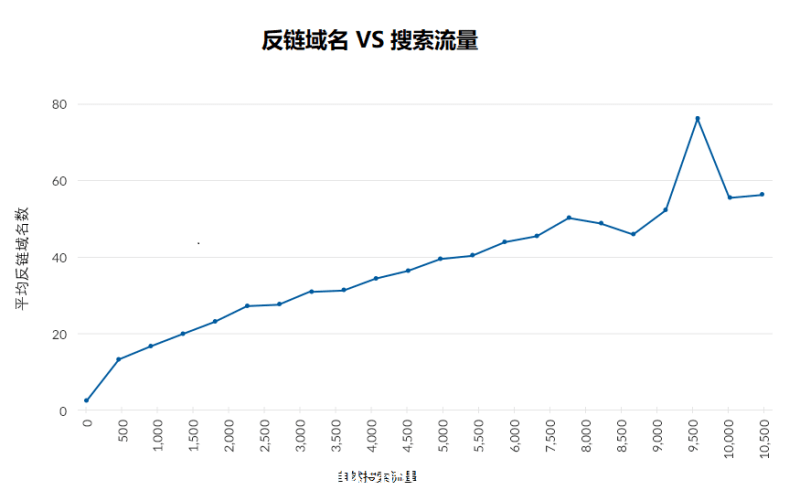
Get your website ranked on the first page of Google fast
If you're ranking on the second page or further down the page, then you're essentially invisible. In this guide, you'll learn how to fix first page rankings in 7 easy steps, as well as understand why ranking on the first page isn't necessarily your ultimate goal either. Here are these...

FFmpeg common utility commands
FFmpeg is a powerful command line audio/video tool that can take care of transcoding, stream mixing, embedded subtitling, editing, and so on. Installation This section is for Windows users. Go to the compiled file (gyan.dev) of the Windows version suggested by the FFmpeg website ...

WeChat for Windows Double & Multi-open Tutorial
1.Win + R keys, in the Run enter cmd, enter 2.Copy the following content input to the cmd input box, enter, need to open more than a few on the input a few times (each time after the input need to enter) start C:\'Program Files (x86)'\Tencent\WeChat\WeChat.exe ...